

9 Smart Home Devices That Work Offline (2026 Guide)
Table of Contents
- Why Choose Smart Home Devices That Work Offline?
- Quick Comparison: Best Offline Smart Home Hubs
- 1. Homey Pro: The Multi-Protocol Powerhouse for Local Control
- 2. Aqara Hub M3: Affordable Matter, Zigbee and Thread Hub
- 3. Homey Bridge: Budget-Friendly Offline Automation
- Zigbee vs Z-Wave for Local Automation: Which Protocol Wins?
- Sensors and Controls That Work Without Cloud Dependency
- Building a Privacy-Focused Smart Home Setup in the UK
- Frequently Asked Questions
Last Updated: September 7, 2026
When the broadband drops or a manufacturer’s server goes dark, most smart homes turn into expensive plastic ornaments. Smart home devices that work offline process commands locally, keeping your lights, locks, and automations responsive regardless of internet status. This guide from DigIoT explores the hardware that keeps functioning when the cloud doesn’t, focusing on the hubs, sensors, and controls that put privacy and reliability back in your hands.
Local processing keeps your data in your home and eliminates the frustration of devices that become bricks when a company shuts down its services. Below, we’ll show you how to build a setup that respects your privacy, avoids subscription traps, and keeps working for years.
Why Choose Smart Home Devices That Work Offline?
A cloud-dependent system stops responding to motion triggers, schedules, and voice commands the moment your router loses its internet connection. Offline-first hardware avoids this by running automations directly on a local hub, which also reduces latency since commands don't travel to remote servers and back.
With local control, your occupancy patterns, heating schedules, and daily routines never leave your property. This removes a significant layer of exposure and frees you from the anxiety of a manufacturer shutting down the servers your devices rely on.
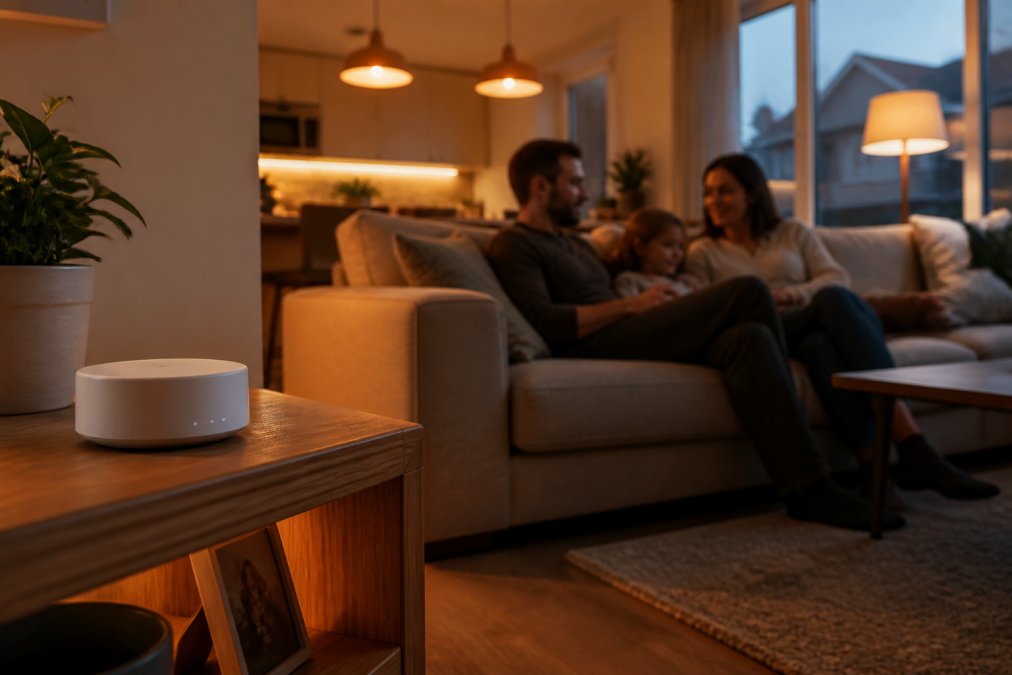
Offline devices require more thought during setup: you need a hub that speaks the right protocols and sensors that pair directly with it. The result is a system that feels faster and more dependable than any cloud-reliant alternative.
Quick Comparison: Best Offline Smart Home Hubs
Choosing the right hub is the most important decision you'll make. It acts as the brain that coordinates all your offline devices, so its protocol support determines which sensors and switches you can buy later. Here is a quick look at the leading options available from DigIoT:
| Hub | Starting Price | Key Protocols | Best For |
|---|---|---|---|
| Homey Pro | £399.99 | WiFi, Zigbee, Z-Wave, Thread, Matter | Enthusiasts wanting one hub for everything |
| Homey Pro Mini | £219.08 | WiFi, Bluetooth | Compact local control for core devices |
| Aqara Hub M3 | £129.99 | Matter, Zigbee, Thread | Budget-friendly multi-protocol integration |
| Homey Bridge | £95.22 | Bluetooth, WiFi | Entry-level automation on a budget |
Each hub processes automations locally, meaning your routines continue to run even if your internet connection fails. A common mistake is buying a hub without checking whether it supports the wireless protocols of your existing sensors. Before committing, audit what you already own and ensure the hub can speak that language directly.

1. Homey Pro: The Multi-Protocol Powerhouse for Local Control
The Homey Pro supports six wireless protocols, WiFi, Bluetooth, Zigbee, Z-Wave Long Range, Thread, and Matter, making it one of the most versatile hubs available. This breadth unites devices from different brands that previously required separate apps and bridges.
Its defining feature is 100% local processing: automations run on the hub itself, executing instantly and continuing during an internet outage. Setup involves plugging into a standard UK socket and using the Homey mobile app to pair devices. The visual flow editor lets you create complex conditional logic without writing code.
At £399.99, it is a serious investment, but for households with a mix of Zigbee sensors, Z-Wave switches, and Matter gadgets, it replaces multiple proprietary bridges, meaning fewer wall warts, fewer apps, and a single place to manage your entire home.
2. Aqara Hub M3: Affordable Matter, Zigbee and Thread Hub
The Aqara Hub M3 delivers exceptional value at £129.99. It acts as both a Zigbee 3.0 coordinator and a Thread Border Router, connecting up to 256 child devices, a future-proof foundation as more Matter and Thread devices enter the market.

The M3 includes a built-in infrared blaster for controlling older appliances like air conditioners or TVs. Local automation processing keeps response times snappy, and it integrates cleanly with Apple HomeKit, Alexa, Google Home, and Home Assistant.
The infrared blaster is ideal for retrofitting: instead of replacing a perfectly good AV receiver or ceiling fan, you can point the M3 at it and bring it into your automation routines. This makes the M3 a smart choice for renters who cannot rewire fixtures.
3. Homey Bridge: Budget-Friendly Offline Automation
The Homey Bridge is the most affordable entry point into the Homey ecosystem at £95.22. It connects Bluetooth and WiFi devices into a unified system, allowing automations across brands, for example, triggering a WiFi smart plug based on a Bluetooth button.

The Homey Bridge relies on cloud processing for automation logic, which differs from the local processing found in the Homey Pro. While it unifies your device control in one app, a full internet outage will pause your automated routines. For many users, this remains a significant upgrade over juggling multiple manufacturer apps, but it is not a true offline solution.
The Bridge suits those starting their smart home journey or renters wanting unified control without a large investment. If you outgrow it, you can migrate paired devices to the Homey Pro without repurchasing, since they share the same app and device database.
Zigbee vs Z-Wave for Local Automation: Which Protocol Wins?
Zigbee and Z-Wave are the two dominant mesh protocols for offline smart home sensors, and the choice shapes your entire hardware ecosystem. Zigbee operates on the crowded 2.4GHz band, which can suffer WiFi interference, but offers a wider selection of affordable sensors. Z-Wave uses the less congested 868MHz frequency in Europe, providing better range through walls at the cost of a smaller catalogue.
Both protocols excel at local automation because they create a mesh network where each powered device repeats signals for its neighbours, extending range beyond a single hub. The practical difference is device availability and price: Zigbee sensors are cheaper and more diverse, while Z-Wave devices feel more premium and undergo stricter certification.
A common approach is to standardise on one protocol. If starting fresh, Zigbee offers the widest range of budget-friendly options; in larger properties with thick walls, the lower-frequency Z-Wave signal often penetrates better. The Homey Pro supports both, so you can mix them freely.
Sensors and Controls That Work Without Cloud Dependency
Hubs are only half the equation; you need sensors and switches that pair locally and respond instantly. The Aqara and SwitchBot ranges maintain local operation when paired with a compatible hub, detecting motion, contact, temperature, and button presses without phoning home.
Ensure your chosen sensor uses a protocol your hub supports. A Zigbee sensor paired to an Aqara Hub M3 stays entirely local; a Thread sensor requires a Thread Border Router, which the M3 provides. Verify protocol compatibility before purchasing to guarantee offline operation.
| Device | Protocol | Price | Primary Function |
|---|---|---|---|
| Aqara Presence Sensor FP2 | WiFi | £65.50 | Radar presence and zone detection |
| Aqara Door & Window Sensor P2 | Thread | £23.99 | Open/closed contact alerts |
| Aqara Radiator Thermostat E1 | Zigbee | £54.98 | Per-room heating control |
| SwitchBot Bot (S1W) | Bluetooth | £29.99 | Physical switch actuation |
| Shelly BLU Button 1 Tough | Bluetooth | £17.70 | Outdoor scene triggering |
Aqara Presence Sensor FP2: Radar Detection That Stays Local
The Aqara Presence Sensor FP2 uses millimetre-wave radar to distinguish between a person sitting still and an empty room. Unlike PIR sensors that only catch movement, it monitors up to 40m², divides the space into 30 zones, and tracks up to five people, enabling automations like turning on lights only where someone is sitting.
It connects directly via WiFi. Local processing keeps presence-based automations functioning during network interruptions. IPX5 water resistance suits bathrooms, and the built-in light sensor allows brightness-based triggers.
Aqara Door & Window Sensor P2 and Radiator Thermostat E1
The Aqara Door & Window Sensor P2 is a compact contact sensor that instantly detects when a door or window opens. With Thread connectivity and Matter compatibility, it offers low-latency communication and long battery life. A typical use is triggering an alert if a window is left open while heating is on.
The Aqara Radiator Thermostat E1 replaces your manual valve head, enabling room-by-room temperature scheduling with precision control within 0.5°C. It includes a child lock and window detection that shuts the valve when a window opens. Pairing it with the Door & Window Sensor P2 heats only the spaces you use.
SwitchBot Bot and Shelly BLU Button for Retrofit Control
The SwitchBot Bot is a mechanical actuator that physically presses existing switches and buttons, retrofitting old appliances without wiring. Attach it to a coffee maker, legacy light switch, or doorbell, and control it via the app or automations.
The Shelly BLU Button 1 Tough offers an IP69-rated wireless button that withstands high-pressure water and dust. It supports single, double, triple, and long presses, giving four distinct commands from one button, ideal by the garden gate or in the garage, surviving the British weather.
Building a Privacy-Focused Smart Home Setup in the UK
Creating a privacy-focused smart home setup in the UK requires designing a cohesive local network. Start with a hub that processes locally, such as the Homey Pro or Aqara Hub M3, then build out with sensors that speak its native protocols. This foundational choice determines your system's reliability and data security.
Secure your network perimeter first. Use a separate WiFi SSID for IoT devices to isolate them from your main computers and phones, limiting the blast radius if a device is compromised. Many modern routers support guest networks or VLANs for this purpose.
When selecting devices, prioritise those with a proven track record of local operation and open standards like Matter, Zigbee, or Z-Wave. Avoid gadgets that require a proprietary cloud account for basic functionality, as these introduce both privacy risks and long-term obsolescence. For guidance on protocol choices and hub selection, resources like the Thread Group's technical overview and Connectivity Standards Alliance documentation on Matter provide authoritative technical details on how these standards ensure interoperability.
The long-term benefit is resilience. When a manufacturer discontinues a product line or a cloud service is retired, your locally operated devices continue to function, and you retain the freedom to swap individual components. This philosophy of open, local, interoperable hardware separates a strong smart home from a fragile collection of cloud-dependent toys.
Building a smart home that works offline is about more than avoiding inconvenience; it is about taking ownership of your environment and data. DigIoT supports this goal by curating a selection of standards-driven hubs, sensors, and controls that prioritise local operation and resist vendor lock-in. With plain-English advice and no forced subscriptions, you can assemble a system that is private, reliable, and genuinely yours. Explore our range of smart home devices and start building a setup that answers to you, not to a distant server.
Frequently Asked Questions
Can smart home devices function without an internet connection?
Yes. Smart home devices that work offline process commands locally through a hub rather than sending data to cloud servers. Hubs like the Homey Pro or Aqara Hub M3 keep automations running even when your broadband drops. You lose remote access from outside the home, but everything inside continues working normally. Look for devices that state local processing or LAN-only operation in their specifications.
What is local control in smart home automation?
Local control means your smart home devices communicate directly with a hub in your house over WiFi, Zigbee, Z-Wave or Thread, without routing commands through a manufacturer's cloud server. The hub processes automations on-site, which makes responses faster and more reliable. If your internet connection fails, locally controlled devices keep working. This approach also reduces The amount of data leaving your home, which matters for a privacy-focused smart home setup.
Do Zigbee and Z-Wave devices work offline?
Yes, Zigbee and Z-Wave devices work offline when paired with a hub that supports local processing. These mesh protocols create a dedicated network between your devices and the hub, independent of your internet connection. The Homey Pro supports both Zigbee and Z-Wave, while the Aqara Hub M3 handles Zigbee and Thread. Choose based on which devices you already own, since both offer reliable offline operation for local automation.
Are There privacy benefits to using offline smart home devices?
Offline smart home devices reduce the amount of personal data sent to external servers. When automations run locally, your routines, schedules and sensor data stay within your home network. This lowers the risk of data breaches and stops manufacturers from building behaviour profiles. For a privacy-focused smart home setup in the UK, choose devices that support local processing and avoid models that require cloud accounts for basic functions.