

Smart Home Devices Without Subscription Fees: 2026 Guide
Table of Contents
- Why Subscription-Free Smart Home Devices Are Worth Choosing
- Quick Comparison: Subscription-Free Smart Home Devices
- Energy and Power Monitoring Without a Monthly Fee
- Climate and Heating Control With No Ongoing Costs
- Safety Sensors That Keep Working Without a Cloud Plan
- Local Storage Smart Home Cameras and What to Check Before Buying
- Smart Home Devices Lasting Over Five Years: What Actually Determines Longevity
- Avoiding Smart Home Vendor Lock-In When You Buy
- Frequently Asked Questions
Last Updated: September 14, 2026
Why Subscription-Free Smart Home Devices Are Worth Choosing
Subscription-free smart home devices are hardware that performs its core functions without a recurring cloud plan, storing data locally or on the device itself. At DigIoT, we see the same pattern repeatedly: buyers pick up a cheap camera or sensor, then discover the useful features sit behind a monthly paywall. That is the trap this guide avoids.
The case for buying once and owning outright is straightforward. A device that keeps working when a manufacturer's servers go quiet is a device you actually own. Below, we break down the smart home devices without subscription fees worth considering, grouped by what they do and how they connect.
Quick Comparison: Subscription-Free Smart Home Devices
The table below summarises the picks in this guide by category, protocol and what each is best at.
| Device | Category | Protocol | Best For |
|---|---|---|---|
| Shelly 1PM Gen3 | Power monitoring | Wi-Fi | Circuit-level energy tracking |
| Shelly 1PM Mini | Power monitoring | Wi-Fi | Tight spaces behind switches |
| Shelly Plus Smart Plug | Power monitoring | Wi-Fi | Plug-in appliance control |
| Shelly Z-Wave Long Range Plug | Power monitoring | Z-Wave | Larger homes, long range |
| Aqara Radiator Thermostat E1 | Heating | Zigbee | Room-by-room heating zones |
| Shelly H&T Gen 3 | Climate sensing | Wi-Fi | Temperature and humidity tracking |
| Shelly Flood S Gen4 | Safety | Wi-Fi, Bluetooth | Water leak detection |
| Aqara Water Leak Sensor | Safety | Zigbee | Under-sink and utility monitoring |
| Shelly BLU Door/Window Sensor | Safety | Bluetooth | Entry point monitoring |
| Shelly Plus Smoke Alarm | Safety | Wi-Fi | Fire safety with alerts |
How These Devices Compare on Cost, Protocol and Control
Cost here means the one-time purchase price, not a monthly commitment. Protocol matters because it determines whether a device talks to your existing setup or needs its own hub. Control matters because local control keeps working when the internet does not.

- Wi-Fi devices connect directly to your router, no hub required, but they lean on your network.
- Zigbee devices need a compatible hub but form a low-power mesh that scales well.
- Z-Wave devices offer long range and reliable mesh networking, ideal for larger properties.
- Bluetooth devices suit simple, battery-powered sensors with short-range communication.
A common mistake is buying on price alone and ignoring protocol. Mixing ecosystems without checking compatibility is how people end up with three apps and no automation.
Energy and Power Monitoring Without a Monthly Fee
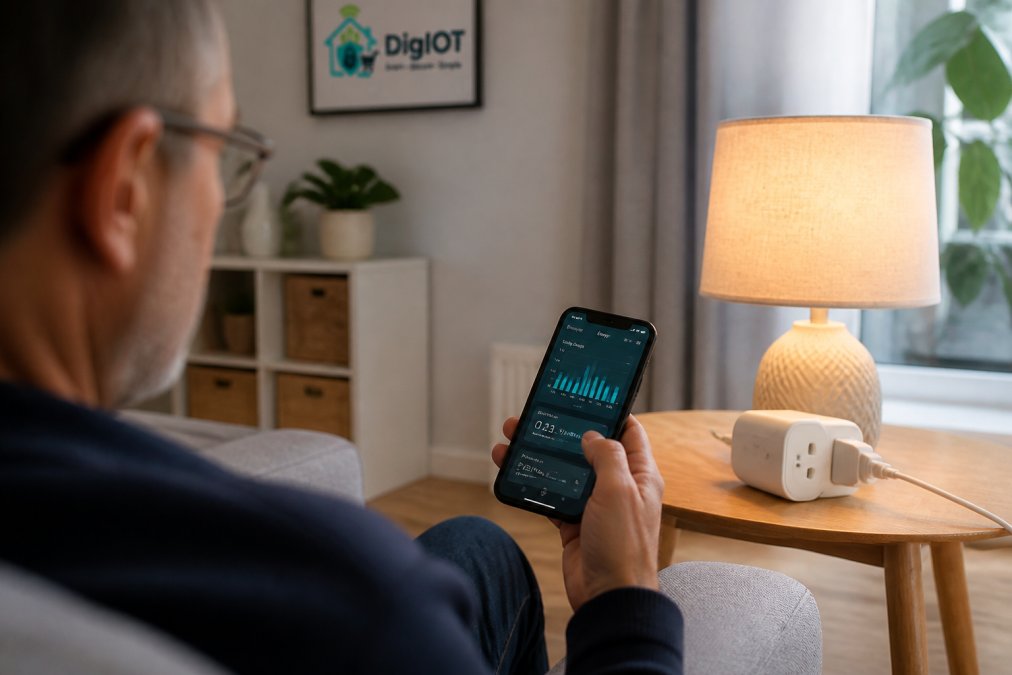
Energy monitoring without a subscription works by measuring consumption at the device or circuit level and reporting it to an app you already control. The Shelly range does this natively, with no cloud plan required for the core metering function.
Shelly 1PM Gen3 and Shelly 1PM Mini
The Shelly 1PM Gen3 is a Wi-Fi relay with built-in power metering, priced at £14.96. It fits behind an existing switch and tracks consumption on a single circuit, with a maximum load of 8A (1920W at 240V). The Gen3 model keeps manual switching working through your existing wall switch, so nothing changes for anyone else in the house.
The Shelly 1PM Mini does the same job in a smaller footprint, also £14.96, measuring consumption to 0.1W accuracy. Where it wins: tight back boxes where a full-size module will not fit.
Shelly Plus and Z-Wave Long Range Smart Plugs
For a no-wiring option, the Shelly Plus Smart UK Plug (£23.64) turns any appliance into a monitored, schedulable device. It handles up to 12A (2875W), supports Alexa and Google Home, and reports voltage, current and consumption in real time.
The Shelly Z-Wave Long Range Smart Plug (£47.50) costs more because it solves a different problem: range. With Z-Wave Long Range connectivity, it holds a signal across larger homes and awkward layouts where Wi-Fi struggles. If you already run a Z-Wave network, this slots straight in.
Climate and Heating Control With No Ongoing Costs
Heating control is where subscription-free kit pays for itself fastest. The Aqara Radiator Thermostat E1 (£54.98) is a smart thermostatic radiator valve that controls individual radiators independently, so you heat the rooms you use rather than the whole house.
It fits standard M30 × 1.5mm valves and ships with adapters for M28, Danfoss RA and Danfoss RAV fittings. Temperature accuracy sits at ±0.5°C, and it runs on two AA batteries for up to two years. It works with Apple HomeKit, Alexa, Google Home and Home Assistant via an Aqara hub.
For monitoring rather than control, the Shelly H&T Gen 3 (£37.89) tracks temperature and humidity on AA batteries, with data logging and custom alerts through the app. Pair it with a radiator valve and you can see whether a room is actually reaching the temperature you set.

The honest limitation: the E1 needs a Zigbee hub, so it is not a standalone purchase. Budget for that if you do not already have one.
Safety Sensors That Keep Working Without a Cloud Plan
Safety sensors are the category where subscription dependence is least acceptable. A leak detector or smoke alarm that stops alerting because a plan lapsed is a liability, not a convenience. The devices below alert locally and to your phone without a paid tier.
The Shelly Flood S Gen4 (£19.26) uses a large detection surface to catch water across a wider area, alerting your phone the moment it senses moisture. Place it under sinks, beside washing machines or in utility rooms.
The Aqara Water Leak Sensor (£16.99) takes a different approach: IP67 water resistance, up to two years from a CR2032 battery, and Zigbee connectivity to a compatible hub. It suits tight spots where a larger sensor will not sit flat.

For entry points, the Shelly BLU Door/Window Sensor (£16.63) is a Bluetooth magnetic contact sensor that attaches with adhesive pads and no wiring. It reports open and closed status and triggers automations, with a 15mm maximum gap between sensor and magnet.
Local Storage Smart Home Cameras and What to Check Before Buying
Local storage smart home cameras record to an on-device memory card or a local network recorder rather than a cloud account, which removes the monthly fee and keeps footage on your property. That combination is the main reason privacy-conscious buyers choose them.
Before buying, check these points in order:
- Storage type: confirm the camera accepts a microSD card or connects to a local network video recorder, not cloud-only storage.
- Footage access: verify you can view recordings without an active subscription. Some cameras allow live view free but lock playback behind a plan.
- Retention limits: check how many days of footage the local storage holds at your chosen resolution.
- Protocol and integration: confirm whether the camera works with Home Assistant or another local platform, or only its own app.
- Remote access: check whether viewing away from home needs a cloud relay, and what that means for your data.
The pattern to avoid is a camera marketed as "local storage supported" that still requires a plan for person detection or playback. Read the feature breakdown carefully before buying.
Smart Home Devices Lasting Over Five Years: What Actually Determines Longevity
Longevity in smart home hardware comes down to four things: local control, standard protocols, replaceable power sources and a manufacturer that does not tie core functions to a server. Get those right and five years is realistic. Get them wrong and you are replacing kit in eighteen months.
Local control matters most. A device that runs its automations on a local hub keeps working when the vendor's cloud goes down or the company folds. Standard protocols such as Zigbee, Z-Wave and Matter mean you can swap one brand for another without rebuilding your whole setup. Replaceable batteries beat sealed cells, because a device you can re-power is a device you can keep.
The thing nobody tells you about smart home longevity is that the hardware rarely fails first. The service behind it does. Buying on protocol support and local control is how you protect the money you have already spent.
Avoiding Smart Home Vendor Lock-In When You Buy
Vendor lock-in happens when your devices only work with one company's app, hub and cloud. The fix is to buy on standards, not brands. Matter, Zigbee and Z-Wave devices from different makers generally interoperate, which means one brand's decision to change its terms does not strand your entire setup.
A practical approach for anyone with devices from several brands already:
- Check what protocol each existing device uses before adding anything new.
- Prefer devices that expose local control, such as Home Assistant compatibility, over app-only alternatives.
- Keep automations on a local hub where possible, so routines survive a cloud outage.
- Avoid buying a device whose core feature depends on a subscription you cannot cancel without losing function.
If you are coming from a closed ecosystem, expect a transition period rather than a clean swap. The good news is that standards-driven hardware lets you migrate gradually instead of starting over.
Frequently Asked Questions
Can you have a smart home without a monthly subscription?
Yes. Many smart home devices work entirely without recurring fees because the automation runs on the device itself or on a hub in your home rather than a paid cloud service. The Shelly range, for example, is sold as a one-time purchase: the Shelly Plus Smart Plug costs £23.64 and the Shelly 1PM Gen3 costs £14.96, with no monthly plan attached. You control them through the app, schedules and local automations, so nothing stops working if you decide not to pay anything further.
Which smart security cameras do not require a subscription?
Cameras that record to a local microSD card, a network video recorder or your own storage drive avoid subscription fees entirely. The key check is where footage is saved: if the camera can write to local storage and still stream live view without a paid plan, you are not tied to a monthly cost. Confirm the recording capacity, whether it keeps working if the internet drops, and whether the manufacturer requires an account before you buy.
How do I store smart home footage locally?
Local storage means footage is written to hardware you own rather than uploaded to a manufacturer's servers. In practice that is a microSD card inside the camera, a network video recorder on your home network, or a storage drive connected to a hub. The benefit is that recordings stay in your home, playback does not depend on a cloud service staying online, and there is no monthly fee. Check the maximum card size and retention before committing.
What are the benefits of local smart home control?
Local control keeps automations running inside your home instead of routing every command through a remote server. That means faster responses, continued operation during an internet outage, and less personal data leaving your property. It also protects you from a manufacturer switching off its cloud service, which is the main way subscription-free devices quietly become useless. Protocols such as Zigbee, Z-Wave and Matter are designed to support this kind of setup.
Are smart home devices reliable without cloud storage?
Reliability depends on the device and the protocol, not on whether a cloud service is involved. Battery-powered sensors such as the Shelly BLU Door/Window Sensor at £16.63 and the Aqara Water Leak Sensor at £16.99 are built to run for a year or more on a single battery without any cloud dependency. Devices that follow open standards and can be controlled locally tend to stay usable for longer, because their core functions do not rely on a company continuing to run servers.
The challenge with subscription-free smart home kit is not finding it, it is knowing which devices genuinely work without a plan and which only claim to. DigIoT curates standards-driven hardware, from Shelly energy monitors and sensors to Aqara heating and leak detection, so you can build a setup that keeps working on its own terms. Every item ships with plain-English guidance, no vendor lock-in and no forced subscriptions. Get started with DigIoT and build a smarter home you actually own.