

Best Smart Home Hubs for Beginners
Table of Contents
- Smart Home Hubs for Beginners: Quick Comparison
- Matter Smart Home Compatibility: Why It Matters
- How to Set Up a Smart Home Hub: Step-by-Step
- Smart Home Hub vs Voice Assistant: What's the Difference?
-
Top Smart Home Hubs Reviewed
- Aqara Hub M3: Future-Proof Universal Control
- Apple HomePod mini: Best for Apple Ecosystem Users
- Amazon Echo Hub: Best for Visual Control
- Aeotec Smart Home Hub: Best for Z-Wave Devices
- Homey Pro: Best for Growing into Advanced Automation
- Hubitat Elevation: Best for Privacy and Local Control
- Home Assistant Green: Best for Flexibility and Community
- Google Nest Hub (Gen 2): Best Budget-Friendly Option
- Amazon Echo Dot (Gen 5): Best Entry-Level Starting Point
- Buyer's Guide: What to Look For in a Smart Home Hub
- Common Mistakes to Avoid When Choosing Your First Hub
- Conclusion
- Frequently Asked Questions
Last Updated: September 4, 2026
Choosing the best smart home hubs for beginners can feel overwhelming, especially when you worry about vendor lock-in and cloud dependency. A smart home hub is the central controller that lets your lights, sensors, and other devices talk to each other locally, rather than relying on a separate app for every brand. At DigIoT, we curate standards-driven gear and offer plain-English advice to help UK homeowners build reliable setups without forced subscriptions.
The market has matured significantly. The Matter standard now allows devices from different brands to work together smoothly. Below, we show you how to choose your first hub, what features matter, and where beginners trip up.
Smart Home Hubs for Beginners: Quick Comparison
A smart home hub acts as the translator and central brain for your connected devices. The right hub gives you one interface to manage multiple brands, better automation options, and improved privacy through local processing.
| Hub | Starting Price | Best For | Key Protocol Support | Local Control |
|---|---|---|---|---|
| Apple HomePod mini | £99.00 | Apple ecosystem users | Thread, Matter | Strong |
| Google Nest Hub (Gen 2) | £89.99 | Google service users | Matter, Thread | Moderate |
| Amazon Echo Dot (Gen 5) | £54.99 | Budget-conscious beginners | Matter (Wi-Fi) | Limited |
| Aqara Hub M3 | £129.99 | Future-proof universal control | Matter, Thread, Zigbee | Strong |
| Aeotec Smart Home Hub | £110.00 | Z-Wave security sensors | Zigbee, Z-Wave | Moderate |
| Amazon Echo Hub | £169.99 | Visual touchscreen control | Matter, Thread, Zigbee | Moderate |
| Hubitat Elevation | £149.00 | Privacy and local control | Zigbee, Z-Wave | Excellent |
| Home Assistant Green | £99.00 | Growing into advanced automation | Extensive integrations | Excellent |
| Homey Pro | £399.00 | Advanced multi-protocol automation | 8 wireless protocols | Strong |
Pricing for hubs varies widely, so it is worth checking the official Matter standard documentation to confirm which devices you already own are compatible before buying anything new.
Matter Smart Home Compatibility: Why It Matters
Matter is the new industry standard designed to end smart home fragmentation. It is a unified connectivity protocol backed by Apple, Google, and Amazon, allowing certified devices to work across ecosystems.
Matter compatibility protects your investment. A Matter light bulb can be controlled by an Apple hub today and a Google hub tomorrow, so you are not locked into one manufacturer's ecosystem.
That said, Matter is not a complete solution. Many existing devices still rely on Zigbee or Z-Wave, which is why hubs like the Aqara Hub M3 and Hubitat Elevation support multiple protocols. According to guidance from the Connectivity Standards Alliance, Matter's development is ongoing, and support for different device types is being expanded over time. A hub that supports Matter alongside older protocols gives you the widest compatibility with both current and legacy gear.
How to Set Up a Smart Home Hub: Step-by-Step
Setting up a smart home hub typically takes 15-45 minutes and follows a similar pattern across most brands:
- Unbox and power up. Connect your hub to power and place it centrally, away from thick walls or metal objects.
- Download the companion app. Create an account or set up local-only access.
- Connect to your network. Use Wi-Fi or Ethernet (more reliable for hubs that support it).
- Update the firmware. Install any available updates before adding devices.
- Add your first device. Use the app's "Add Device" function and put the device into pairing mode.
- Create a room and test. Assign devices to rooms and test basic functions.
- Set up automations. Start simple: schedule lights to turn on at sunset or have a sensor trigger a smart plug.
Smart Home Hub vs Voice Assistant: What's the Difference?
A voice assistant like Alexa or Google Assistant is not the same as a dedicated smart home hub. A voice assistant responds to spoken commands but typically relies on cloud processing and offers limited automation logic.
A smart home hub is designed to coordinate devices and run automations locally, such as "when the front door sensor opens, turn on the hallway light," even if your internet drops. This matters for privacy and reliability.
Products like the Amazon Echo Dot and Google Nest Hub sit in between. They are voice assistants first, but they include Matter controller functionality, making them viable entry-level hubs. The trade-off is depth: they lack the advanced rule engines of dedicated hubs like Hubitat or Homey Pro. For simple setups with a handful of devices, a voice assistant hub is often sufficient. For serious automation, a dedicated hub gives you more control and better local processing, as noted in advice from Which? on smart speakers and hubs.
Top Smart Home Hubs Reviewed
The best smart home hubs for beginners balance ease of use, protocol support, and future flexibility.
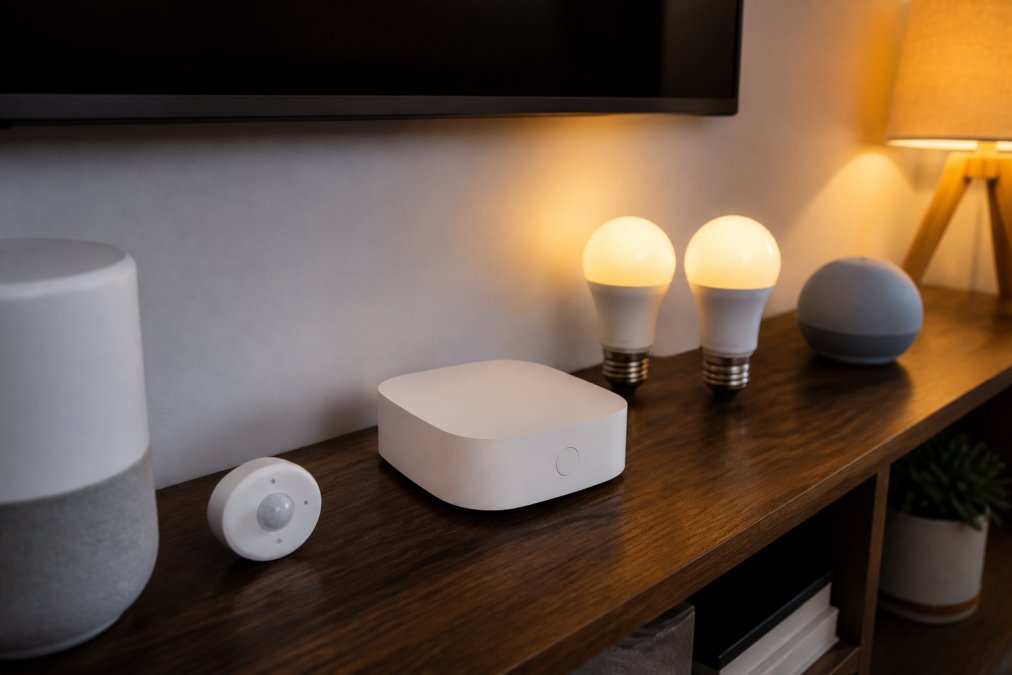
Aqara Hub M3: Future-Proof Universal Control
The Aqara Hub M3 is a strong contender for beginners wanting a future-proof universal controller. It supports Matter, Thread, Zigbee, and Bluetooth, giving broad compatibility with current and next-generation devices.
Commands execute quickly with local processing. The built-in speaker adds practical value for security alerts, and the wired Ethernet option provides stable connection. At £129.99, the multi-protocol support means you are less likely to need a second hub later.
Apple HomePod mini: Best for Apple Ecosystem Users
For Apple ecosystem users, the HomePod mini at £99.00 is the easiest hub to set up. It acts as a Thread border router and integrates seamlessly with the Apple Home app.
Setup takes minutes and audio quality is impressive. The limitation is clear: if you do not use Apple devices, much of its value disappears. It only makes sense for beginners committed to Apple.
Amazon Echo Hub: Best for Visual Control
The Amazon Echo Hub is a wall-mountable control panel with a touchscreen display at £169.99. You get a customisable dashboard to see and manage everything at a glance.
This is best for beginners who prefer a physical interface. It includes built-in Zigbee, Matter, and Thread controllers. The main consideration is placement: it requires wall mounting and nearby power.
Aeotec Smart Home Hub: Best for Z-Wave Devices
The Aeotec Smart Home Hub at £110.00 is a good choice if you own Z-Wave security sensors or locks. Z-Wave requires a hub that speaks the protocol.
It supports Zigbee 3.0 and Z-Wave Plus with the SmartThings platform. Performance is stable, though some advanced features depend on the cloud. For most beginners with Z-Wave sensors, this is dependable.
Homey Pro: Best for Growing into Advanced Automation
The Homey Pro supports eight wireless technologies including Zigbee, Z-Wave, Thread, and Bluetooth. At £399.00, it is a significant investment that can grow with you for years.
The flow-based automation builder is user-friendly. You create automations by connecting triggers and actions visually. The app store adds integrations for thousands of devices. For beginners who know they will keep expanding, it is a comprehensive hub.
Hubitat Elevation: Best for Privacy and Local Control
Hubitat Elevation is for privacy-conscious users who want no cloud dependency. At £149.00, it processes all automations locally with no subscription fees and excellent response times.
The trade-off is the learning curve. Beginners willing to spend an afternoon learning the interface will have a highly reliable, private system. If your priority is keeping data out of the cloud, this is a strong choice.
Home Assistant Green: Best for Flexibility and Community
Home Assistant Green runs the Home Assistant software at £99.00, offering an enormous range of integrations and full local control.
Its strength is the community: thousands of developers contribute integrations. The weakness is the learning curve. It is best for beginners who enjoy tinkering and want to learn powerful automation.
Google Nest Hub (Gen 2): Best Budget-Friendly Option
The Google Nest Hub (Gen 2) at £89.99 is a smart display that doubles as a Matter controller. It integrates cleanly with the Google Home app and provides a visual dashboard.
It is affordable with an excellent interface, but advanced automation is limited. For beginners wanting a simple, visual way to manage a modest collection of Matter devices, this is a solid, budget-friendly pick.
Amazon Echo Dot (Gen 5): Best Entry-Level Starting Point
At £54.99, the Amazon Echo Dot (Gen 5) is an affordable way to start. It includes a built-in Eero mesh Wi-Fi extender and supports Matter over Wi-Fi.
It lacks Zigbee and Thread, so it can only control Wi-Fi or Matter over Wi-Fi devices. This makes it ideal for beginners starting with basic smart lighting or plugs. As your collection grows, you may need a dedicated hub, but as a low-cost starting point, it is a good option.
Buyer's Guide: What to Look For in a Smart Home Hub
Choosing the right hub comes down to four considerations: protocol support, local versus cloud processing, ecosystem fit, and expandability.
Protocol support determines which devices you can connect. If you already own Zigbee sensors, you need a hub with Zigbee built in. If you are starting fresh, Matter and Thread support will serve you best going forward. The Matter device library is a useful resource for checking which of your existing devices are certified.
Local processing means automations run on the hub, not in the cloud. Hubs like Hubitat and Homey Pro continue working during internet outages and keep your data private. Cloud-dependent devices can become useless if the manufacturer shuts down its servers.
Ecosystem fit matters. If your household uses Apple, the HomePod mini will feel effortless. If you use Google services, the Nest Hub makes sense. Working with the ecosystem you already have reduces friction.
Finally, think about expandability. A hub that supports multiple protocols gives you the freedom to buy the best device for each job, regardless of brand.
Common Mistakes to Avoid When Choosing Your First Hub
The most common mistake is buying a hub based on your phone's brand rather than your actual device needs. Another error is assuming all Matter-certified devices work with all Matter hubs; verify specific compatibility before purchasing.
A third mistake is underestimating network quality. If your router is in a corner of the house, consider a mesh system or use a hub with an Ethernet port.
Finally, avoid ecosystem lock-in. A hub that works only with one brand's cloud service may stop functioning if that company changes its business model. Choose a hub with strong local control and broad protocol support.
Conclusion
Choosing the best smart home hub is about matching it to your existing devices, technical comfort level, and privacy priorities. List what you own, decide whether local control matters, and pick a hub that supports the protocols you need with room to grow.
At DigIoT, we curate standards-driven gear that works together without vendor lock-in and provide plain-English setup advice. Our focus on local control and reliability means your devices keep working even if a manufacturer changes direction.
If you are ready to build a smart home that respects your privacy and avoids forced subscriptions, explore our curated selection of hubs and starter bundles.
Frequently Asked Questions
Do I really need a smart home hub?
A dedicated smart home hub isn't always necessary, but it can significantly improve reliability and response times. Smart speakers like the Amazon Echo Dot can handle basic tasks, but a proper hub enables local control, faster automation, and support for more devices. If you're building beyond simple voice commands, a hub can become essential for seamless integration.
What is the Matter standard and why does it matter for my hub?
Matter is an open standard that allows smart home devices from different manufacturers to communicate directly without relying on proprietary cloud systems. Hubs with Matter support, like the Aqara Hub M3, can future-proof your setup and reduce vendor lock-in. This means you can mix and match devices freely, knowing they'll work together reliably for years to come.
Are smart home hubs compatible with all devices?
No single hub supports every device, but multi-protocol hubs like Homey Pro and Hubitat Elevation cover most common standards including Zigbee, Z-Wave, and Wi-Fi. Before buying, check which protocols your existing devices use. Many beginners find that starting with a hub supporting their primary devices, then expanding gradually, can work well.
Which smart home hub is easiest to set up for beginners?
The Apple HomePod mini and Google Nest Hub offer a simple setup if you're already in their ecosystems. For those wanting something more universal, the Aqara Hub M3 balances ease of use with broad device compatibility. Home Assistant Green and Amazon Echo Dot are affordable entry points, though they may require slightly more patience during initial configuration.
Get started with DigIoT and build a smart home setup that is reliable, private, and built to last.
This article was written using GrandRanker